 Qup
Create games
Pick a sport, set the date, time and venue, choose how many players you need, and publish in seconds.
Qup connects you with players nearby. Create a football, basketball or padel game, pick a date and a venue, and let others join in. Chat with your team and show up ready to play.
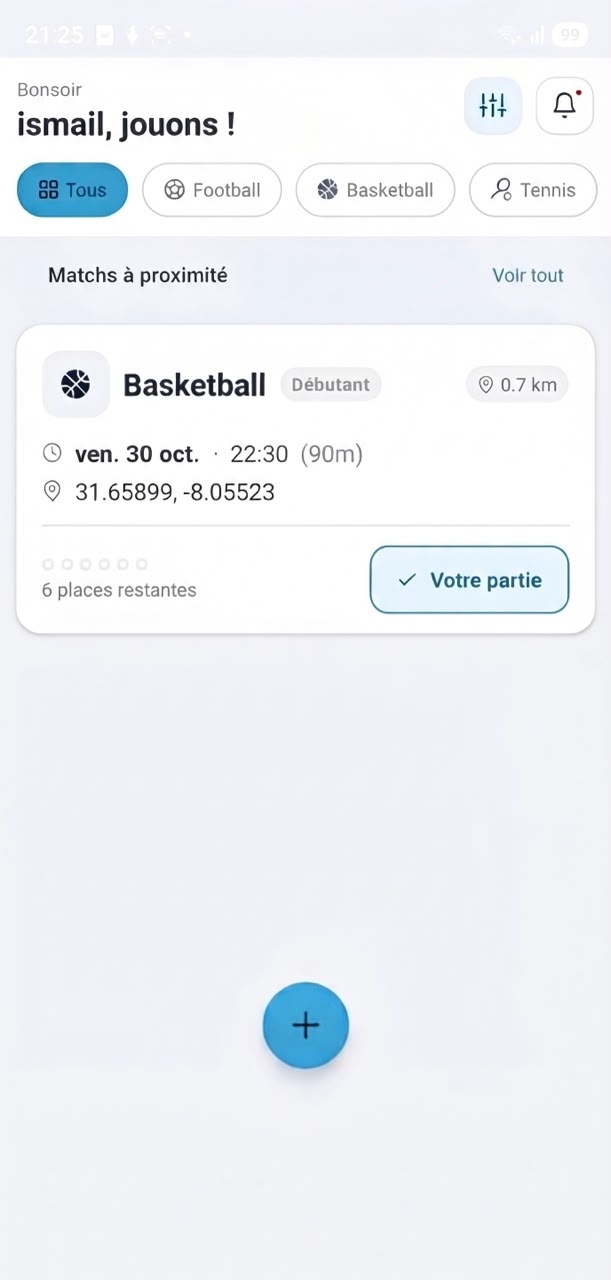
No more endless group chats or empty pitches. Qup takes care of finding players, so you can focus on playing.
Download nowPick a sport, set the date, time and venue, choose how many players you need, and publish in seconds.
Browse open games around you, filter by sport and date, and grab a spot with a single tap.
Every game has its own chat. Sort out teams, bibs and who's bringing the ball before kick-off.
Games aren't mixed. Men see and join men's games, and women see and join women's games.
Add your photo, favourite sports and level, and keep track of the games you've played.
Get notified when someone joins, when your game is full, and right before it starts.
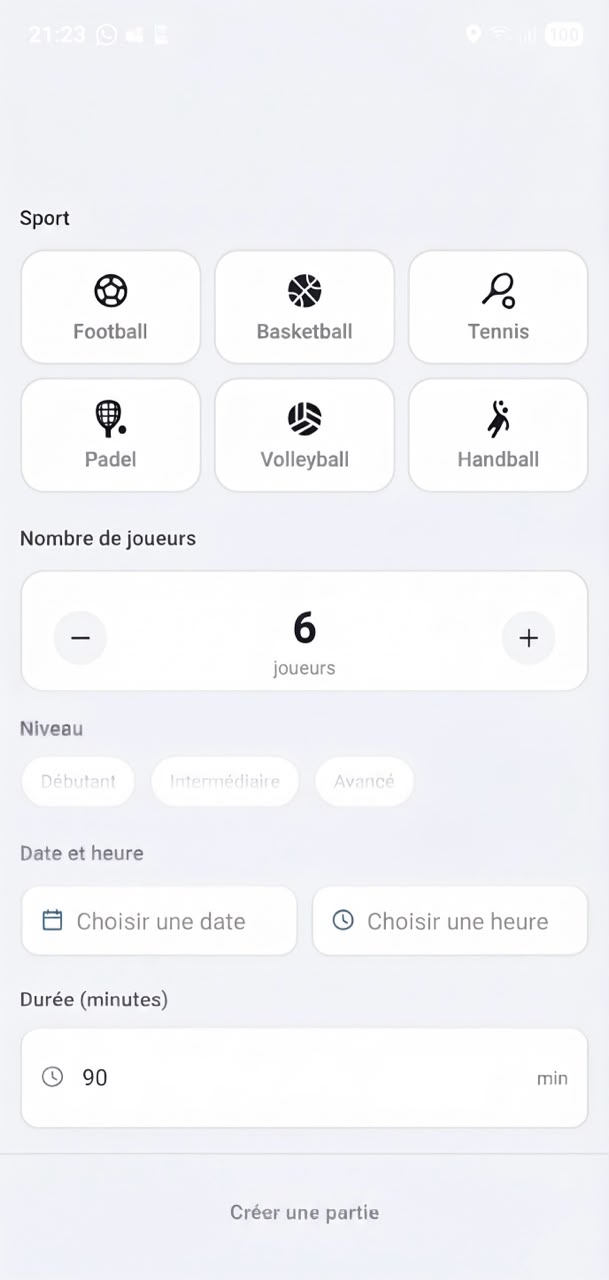
Got a pitch booked but you're short a few players? Create a game on Qup and let players nearby fill the empty spots.
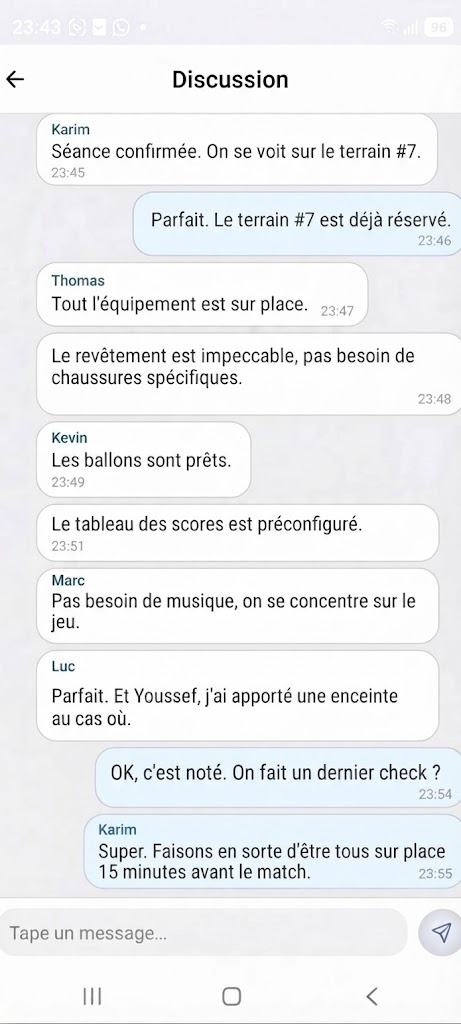
Each game page has a group chat for everyone who joined. Sort out the details, meet new teammates and keep the plan in one place.
From weekly 5-a-side to Sunday padel, there's always a game happening near you.
🔒 Qup games are not mixed. You'll only see and join games for your own gender.
Everything you need to know about Qup. Can't find your answer? Send us a message.
Yes. Downloading Qup, creating a profile, and creating or joining games is free. Venue costs, if any, are agreed between the players and the host.
Tap the “+” button, choose your sport, set the date, time and venue, choose how many players you need, and publish. Players nearby can then find your game and join.
No. Qup keeps men's and women's games separate. Your feed only shows games for your gender, and only players of the same gender can join a game.
Football, basketball, padel, volleyball, tennis and running, with more on the way. Tell us which sport you'd like next using the contact form below.
Yes. Every game has its own chat on the game page. Once you join, you can talk with the host and the other players.
Leave the game from the game page as early as you can so someone else can take your spot. The host and the other players are notified automatically.
You can report any player from their profile or from the game chat. To delete your account, go to Profile → Settings → Delete account, or contact us and we'll do it for you.
Feedback, partnerships, venue listings or support. Send us a message and we'll get back to you within 48 hours.
Download Qup for free on iOS and Android.